Case study · Education
Circuit Lab: real electronics, safely, in any classroom browser
An illustrated 3D workbench where students build the circuits from their science chapters, predict the outcome, and read real values from a real circuit solver. No install, no plugin, no server.
- Our role
- Concept, design, build
- Audience
- NCERT Class 8–10
- Lessons
- 7 of 10 live
- Solver
- Real circuit maths (MNA)
- Backend
- None needed
- Status
- Live, open source
Inside the lab
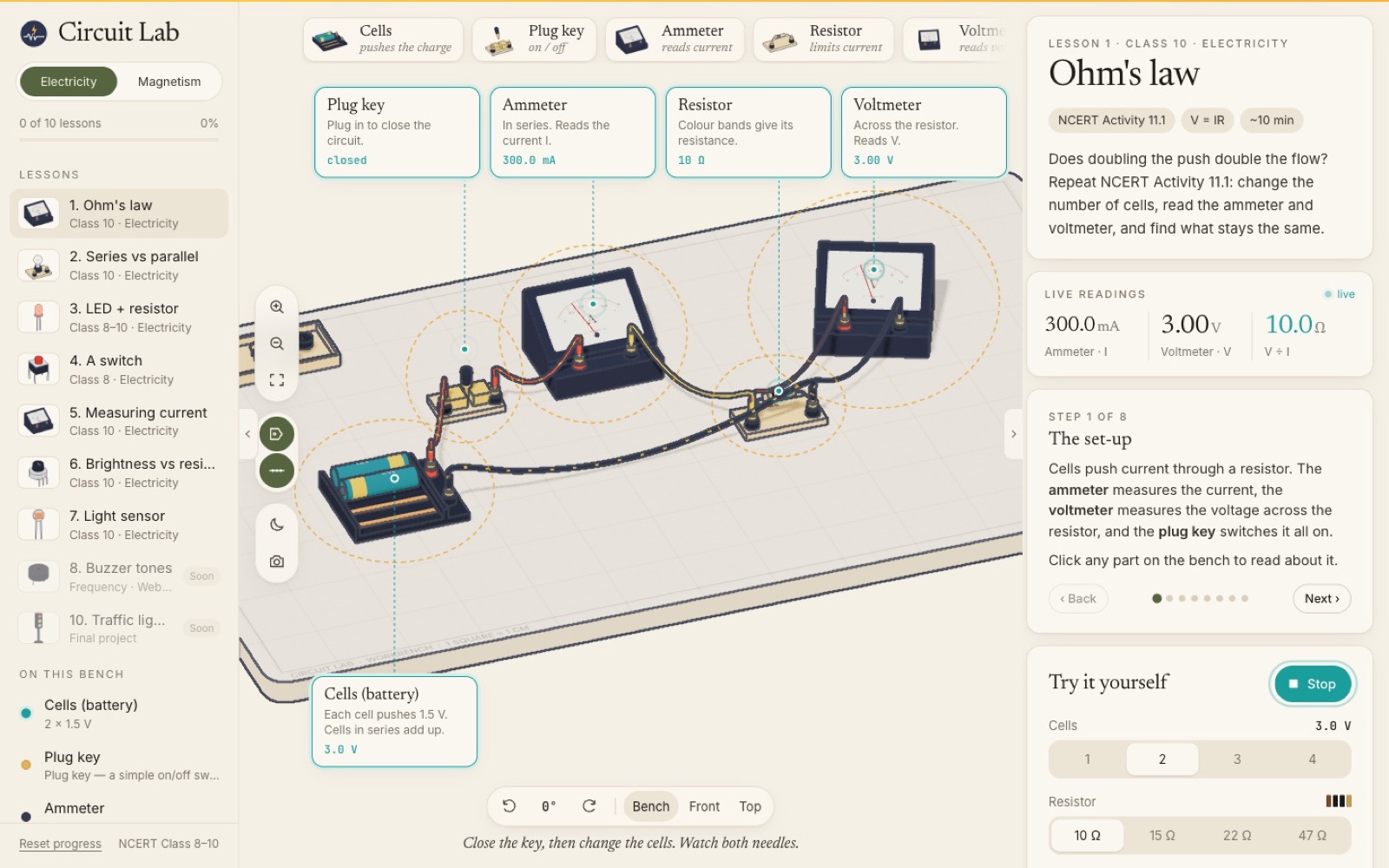
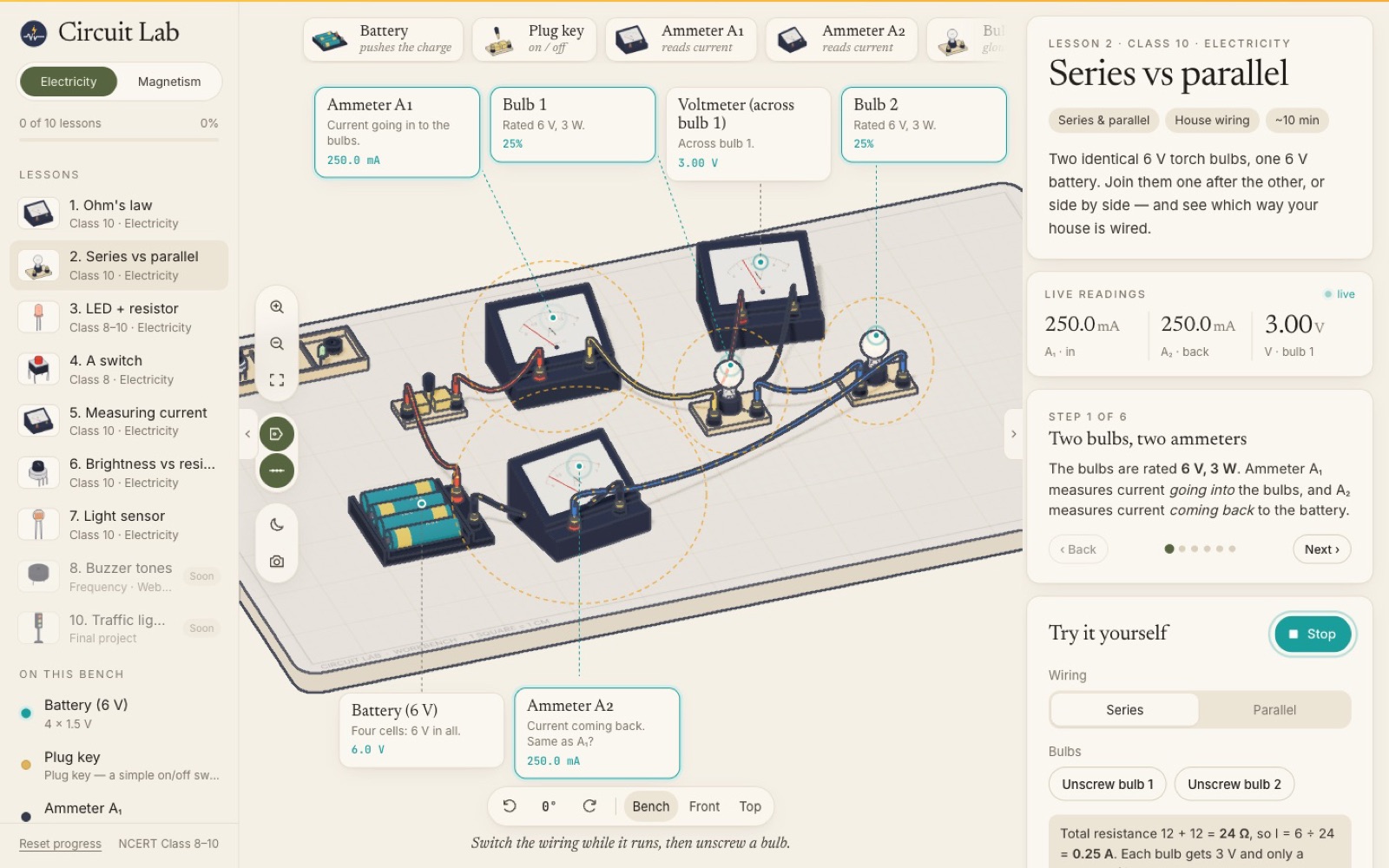
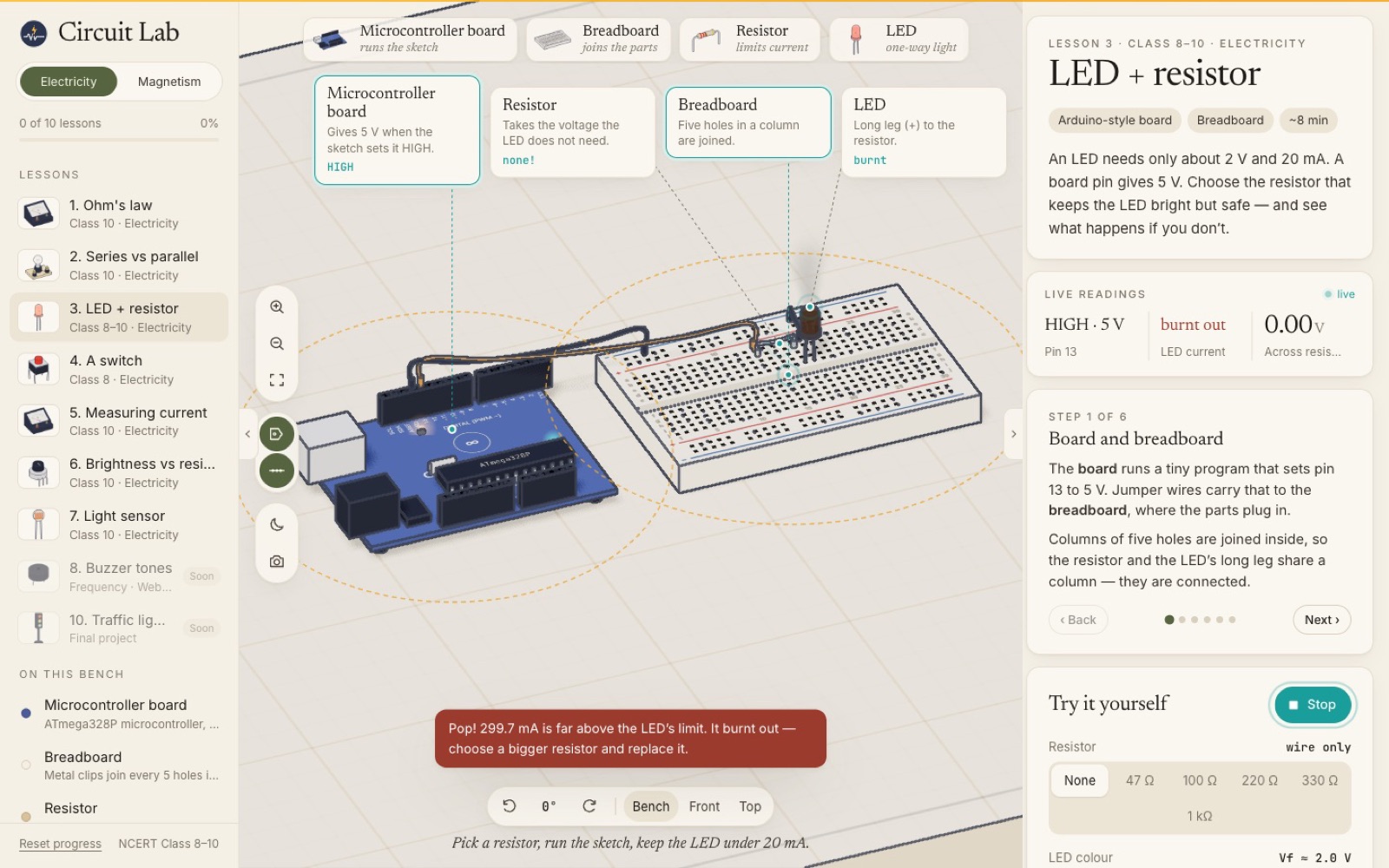
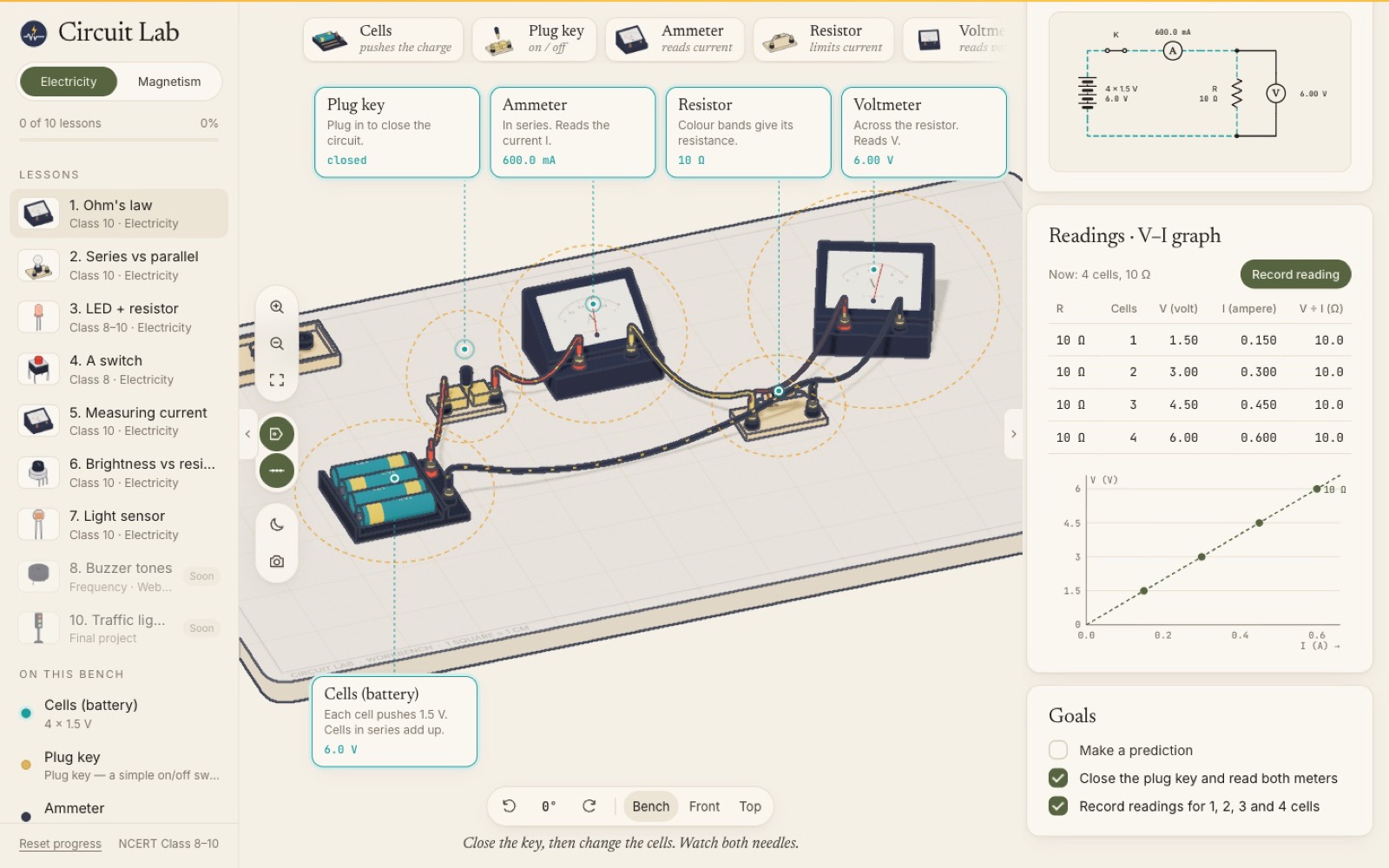
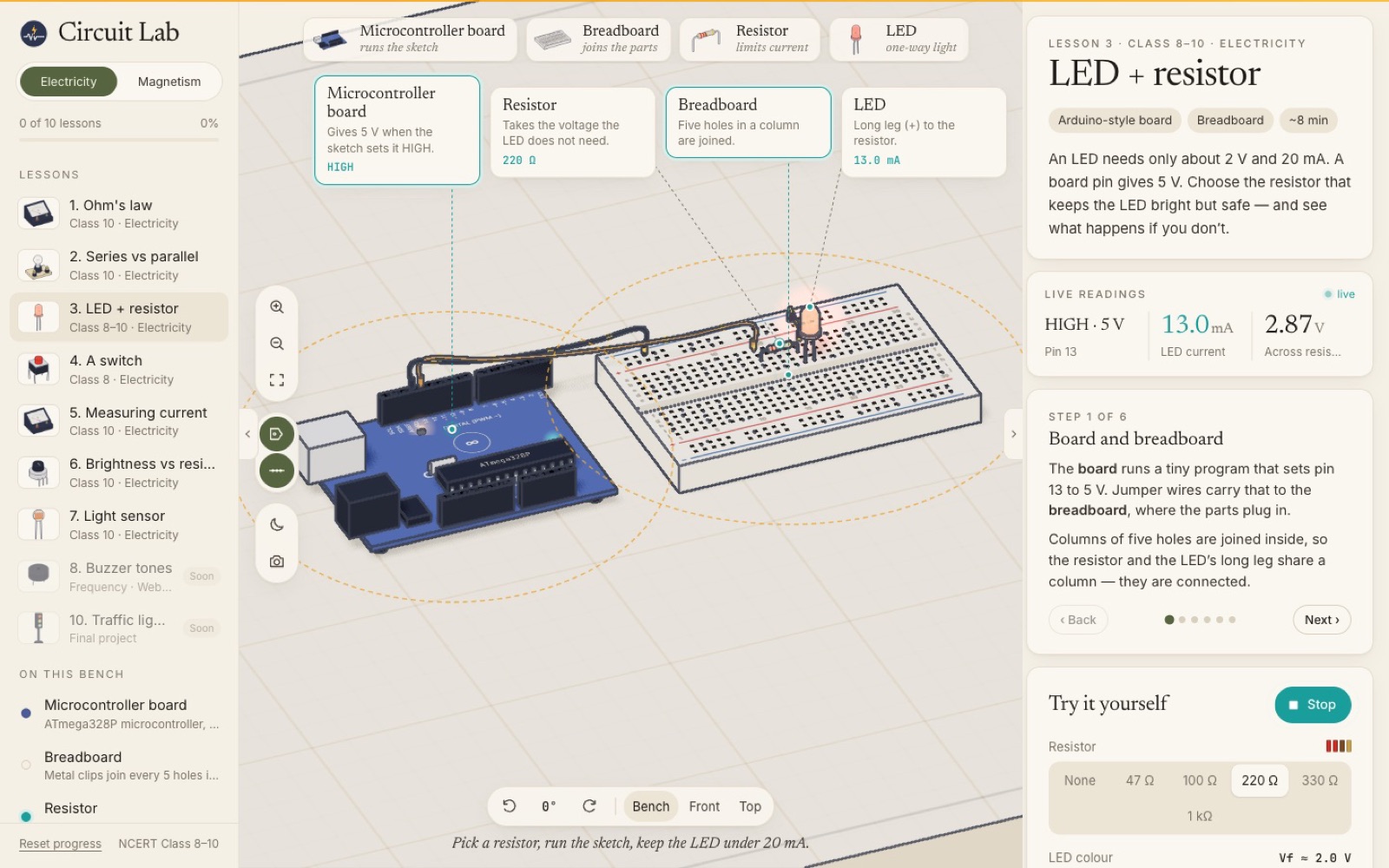
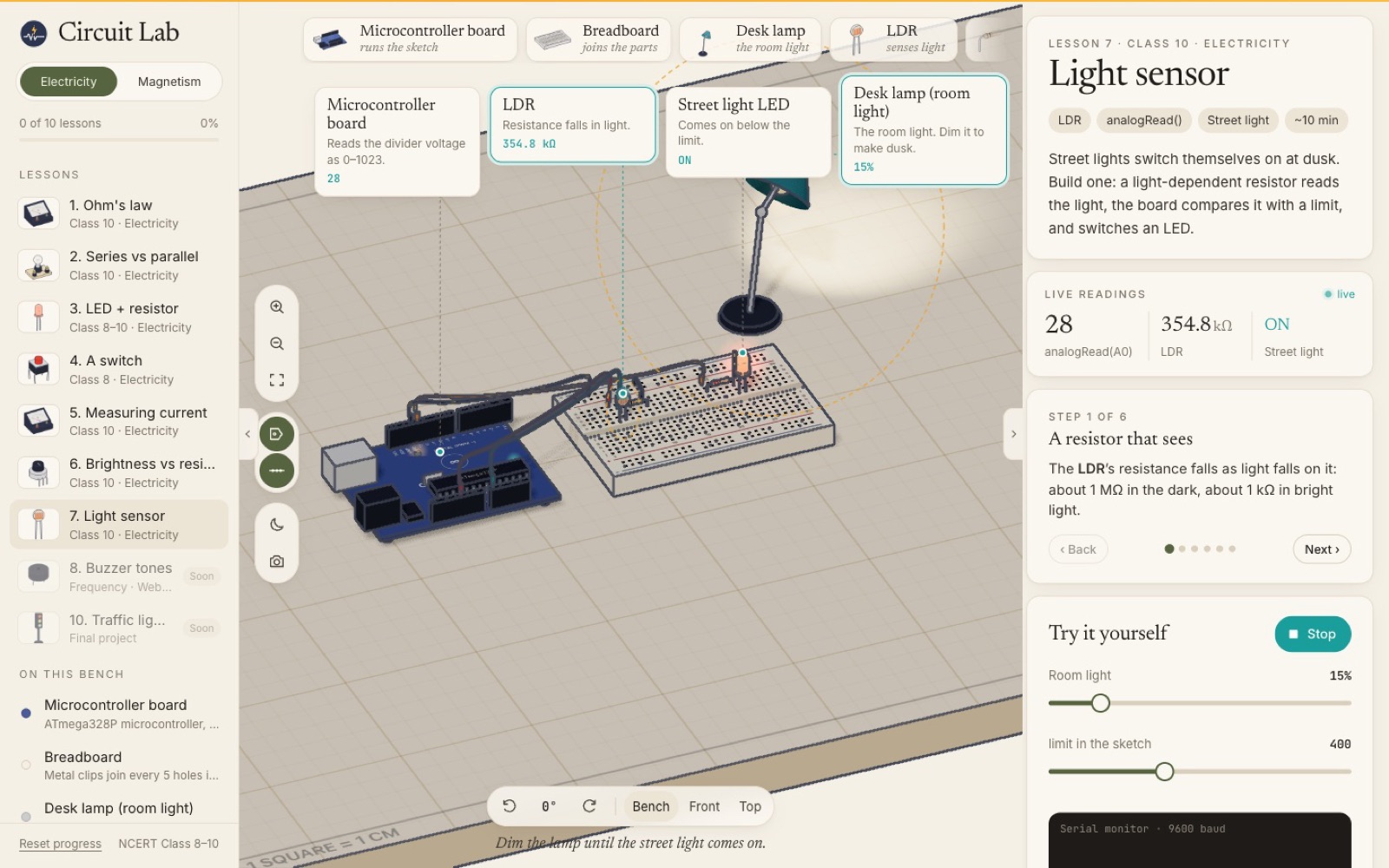
In short
The goal: let school students build the circuits from their NCERT science chapters, see real values and safely make the classic mistakes, in a browser with no install and no server. The result: a 3D electronics workbench with seven lessons, a real circuit solver and an open-source codebase.
Challenge 01
How do you show real electrical values instead of fake animations?
The problem
Most classroom simulations animate pre-set outcomes, so changing a resistor or rewiring a bulb does not really change anything.
How we solved it
- Built a modified nodal analysis solver over a netlist of cells, resistors, meters, switches, bulbs and LEDs.
- Modelled LEDs as piecewise devices and re-solved until no LED changes state.
- Drove bulb glow from power (P = I²R) and LED brightness from current.
Challenge 02
How do you build 14 detailed parts without any 3D model files?
The problem
Downloading models makes a lab slow on school internet and hard to maintain.
How we solved it
- Generated every part procedurally in code: board, breadboard with instanced holes, colour-banded resistors, meters, bulbs, LDR, desk lamp.
- Gave them an inked, cel-shaded look with a screen-space outline pass, so the bench reads like a textbook illustration.
Challenge 03
How do you make students think, not just click?
The problem
Students tend to press Run and watch, without forming an idea of what should happen.
How we solved it
- Predict first: every lesson asks for a guess before running, then explains the answer.
- Steps that ring the exact parts they talk about on the bench, and short goals per lesson.
Challenge 04
How do you teach the classic mistakes safely?
The problem
Wiring an ammeter across a bulb or an LED without a resistor is how students really learn, and it is unsafe or expensive in a real lab.
How we solved it
- Let students burn out an LED without a resistor (300 mA, pop) and move the ammeter to the wrong place to see why it matters.
- Showed moving charges along the wires, faster for more current.
Challenge 05
How do you match what students study in class?
The problem
A generic simulator does not line up with the textbook activities students are assessed on.
How we solved it
- Built lessons around NCERT Class 8–10 chapters, from Ohm's law to a light-sensing street light.
- Drew a live circuit diagram with NCERT symbols, a readings table and a V–I graph (Activity 11.1).
Challenge 06
How does it run on any school device without servers?
The problem
Schools cannot install software or run backends, and devices vary from phones to old laptops.
How we solved it
- A fully static build with no backend and no API keys, so it works anywhere it can load.
- Phone layout, keyboard controls, reduced motion and a clear no-WebGL fallback.
Results & lessons
What it delivered, and what we would do again
Circuit Lab is live and open source on GitHub, with seven of ten planned lessons. It shows how we build interactive learning tools that run anywhere, for schools, EdTech companies and training providers.
- Use real physics so curiosity is rewarded.
- Generate assets in code when bandwidth is limited.
- Design lessons around the curriculum learners are assessed on.
Quick answers
Circuit Lab at a glance
What is Circuit Lab?
Circuit Lab is a free, open-source 3D electronics workbench that runs in the browser. Students build the circuits from NCERT Class 8 to 10 electricity chapters, predict what will happen, then see real values from a circuit solver.
Does Circuit Lab need installation or a server?
No. It is a static web app with no backend or API keys. It runs in a modern browser on laptops, tablets and phones, with a fallback message where 3D graphics are unavailable.
Can ImliStack build a similar learning tool for us?
Yes. We build interactive simulations and learning platforms for schools, EdTech companies and training providers. Scope, curriculum and devices are agreed during discovery.

Next step
Tell Us Your Problem. We'll Help You Build the Solution.
Tell us what you are working on. You will get a considered reply from an engineer — with questions, a suggested approach or an honest “we are not the right fit”.