
Case study · Energy & solar
SunPlot 3D: solar design software for a US solar company
A 3D solar PV design tool that lays out modules on any site, checks every estimate against ten years of real climate data and turns the design into a client-ready proposal, all in the browser. We delivered a custom version to a solar company in the United States.
- Our role
- Product, design, build
- Client
- A US solar company
- Climate data
- 10 years, NASA POWER
- Shading
- ~1 s for 3,250 modules
- Output
- 5-page proposal PDF
- Status
- Delivered · open-source core
Inside SunPlot
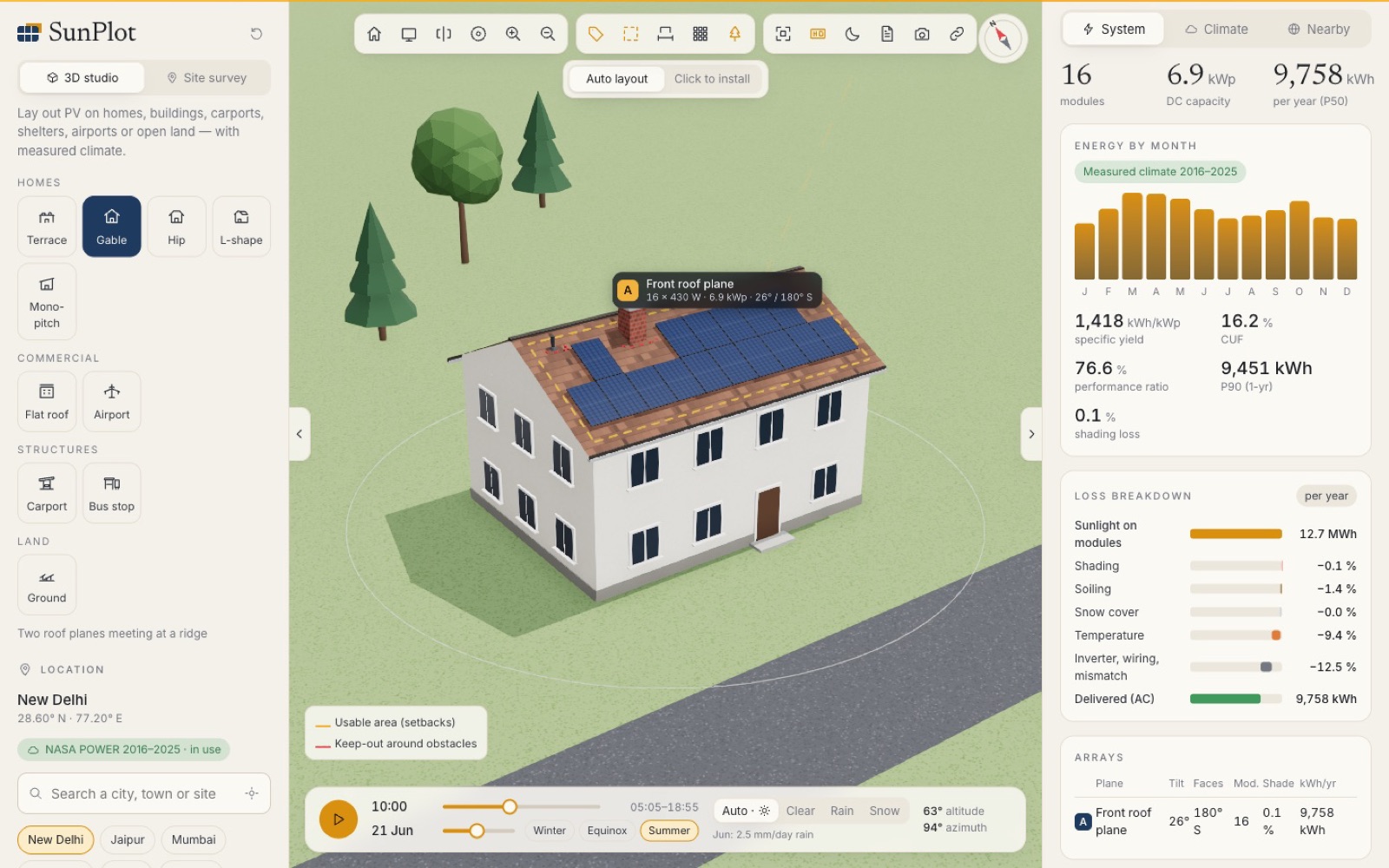
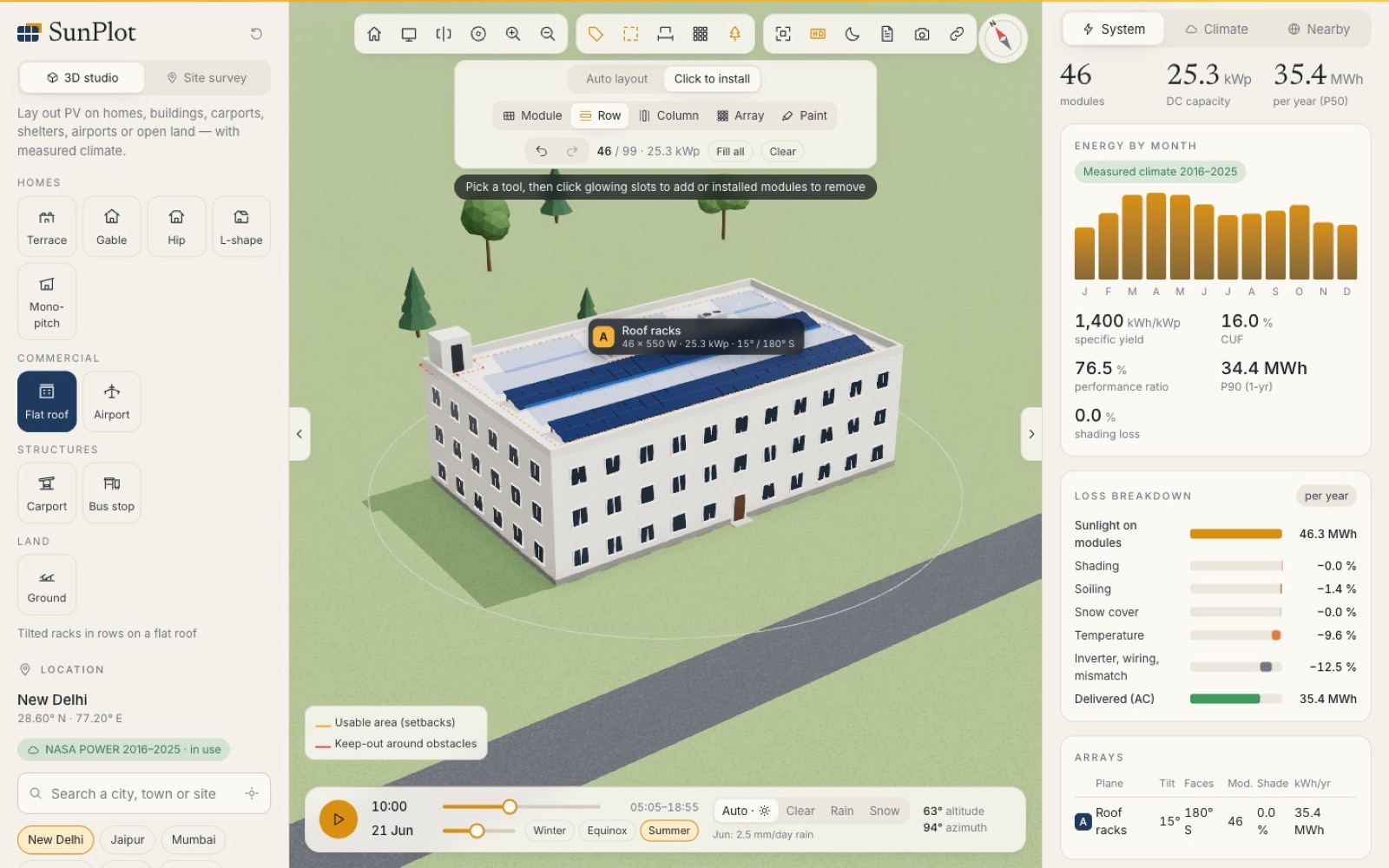
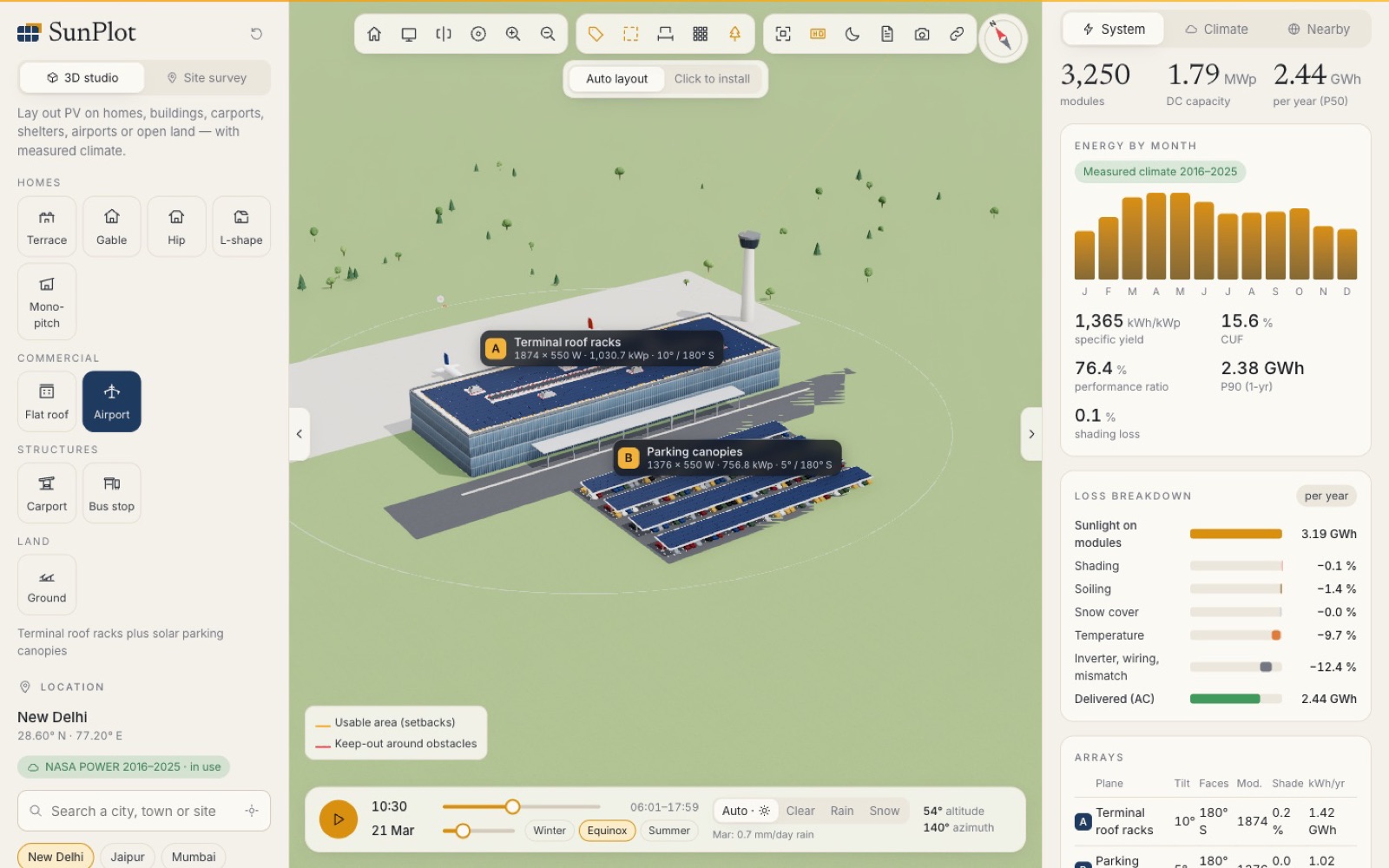
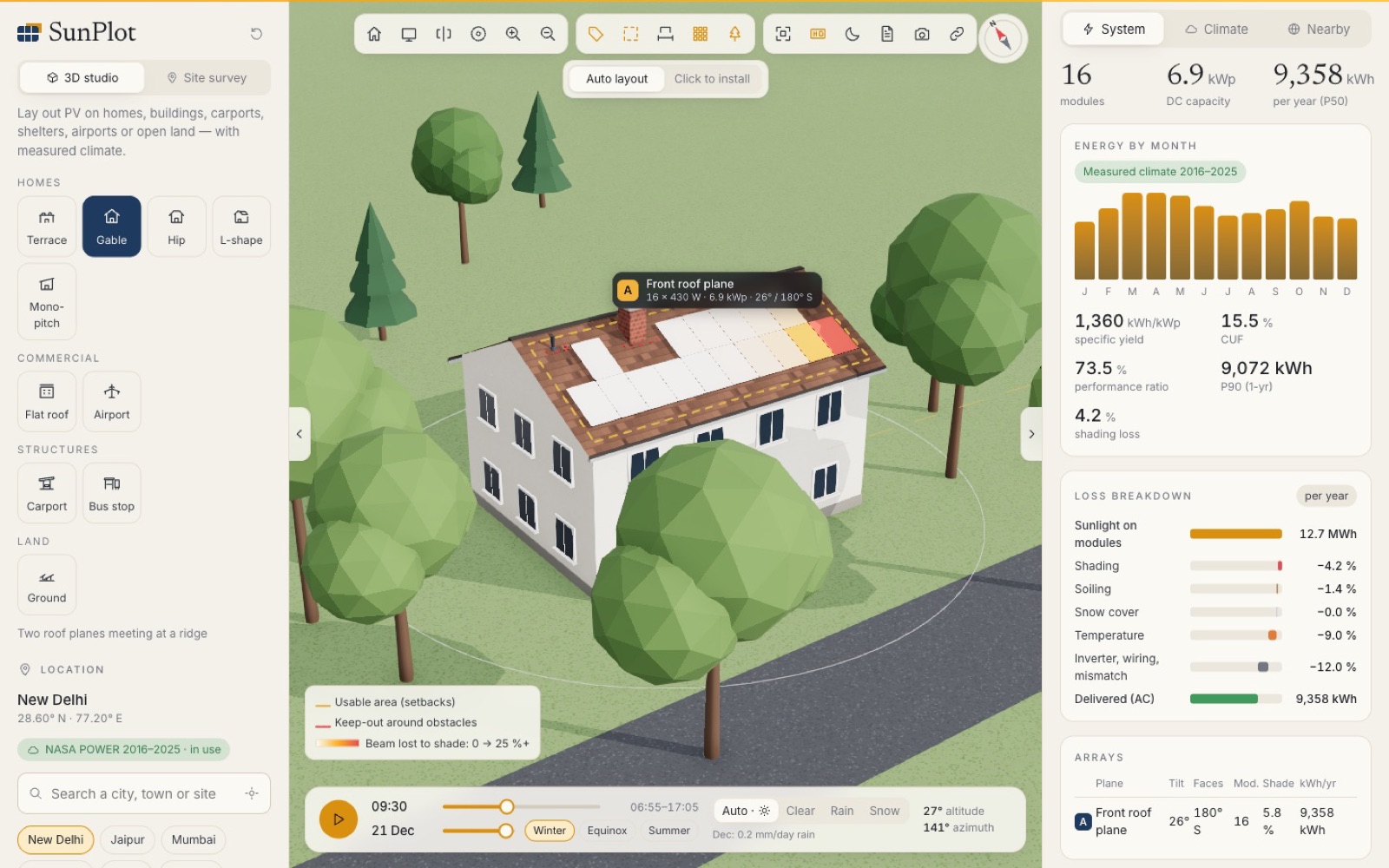
01 Overview
From an address to a signed-off solar design
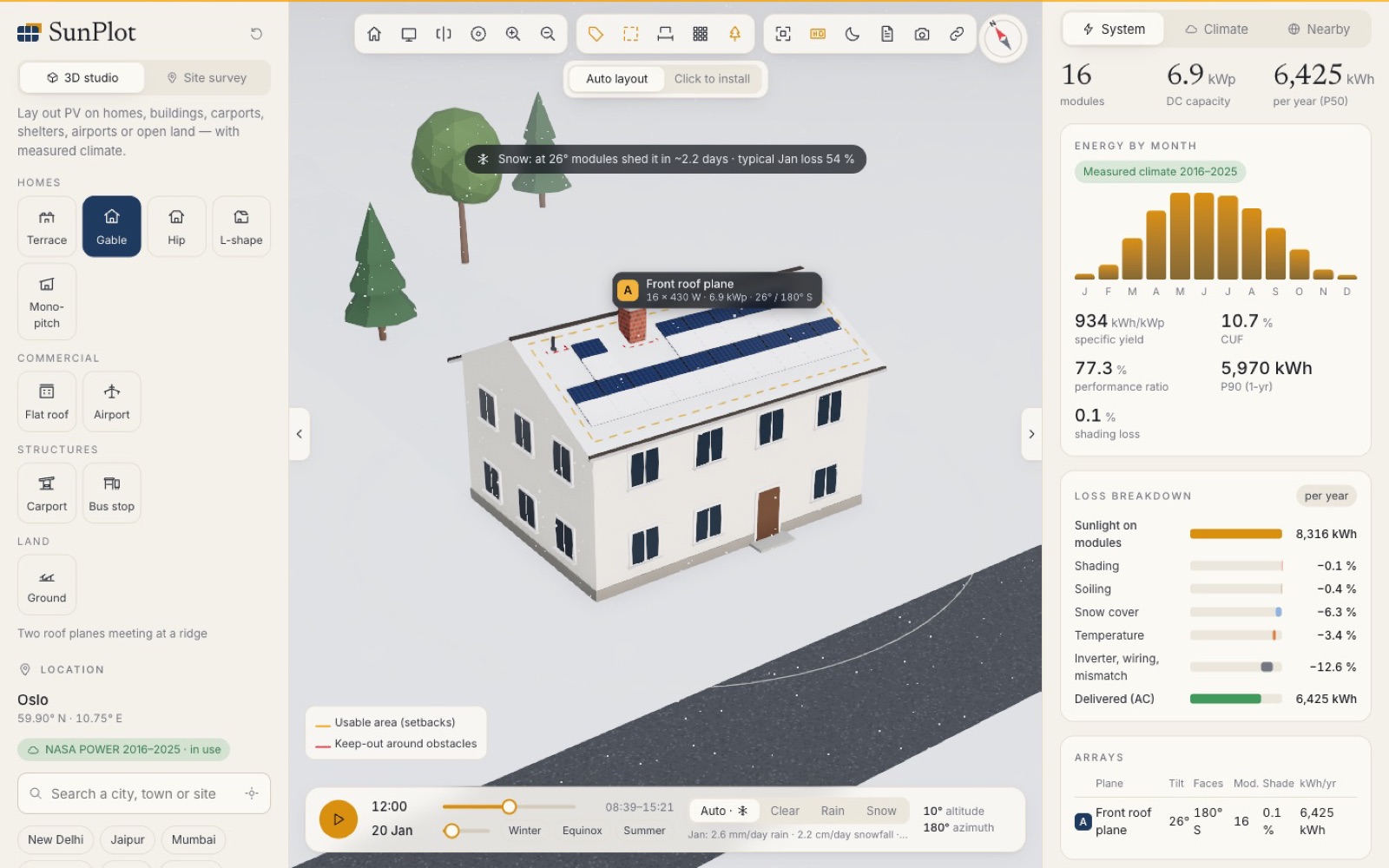
SunPlot 3D gives solar installers one browser tool for the whole pre-sales job: survey the site, lay out the modules, check shading and weather losses against real climate data, and send the client a professional proposal.
It handles nine site types, from family homes and flat roofs to carports, bus shelters, ground-mounted fields and an airport terminal.
We built the core as open source, then delivered a custom version to a US solar company so its designers and sales team could produce accurate, good-looking proposals faster.
02 The challenge
Accurate solar quotes usually need a visit and desktop software
- Site visits cost time before a customer has even said yes.
- Rough estimates lose trust: shade, dust, rain and snow change the real yield.
- Layout rules: fire setbacks, obstacles and row spacing must be respected.
- Heavy tools: most PV design software needs an install and a powerful PC.
- Proposals take hours to assemble by hand.
- US code compliance: IFC and IRC fire setbacks on every residential roof.
03 The solution
Design, simulate and propose in one place
Code-aware auto layout
Ridge and edge setbacks, keep-outs round chimneys and vents, rows spaced so they don't shade each other.
Click to install
Module, row, column, array and paint tools with undo, redo, fill all and clear.
Ten years of climate
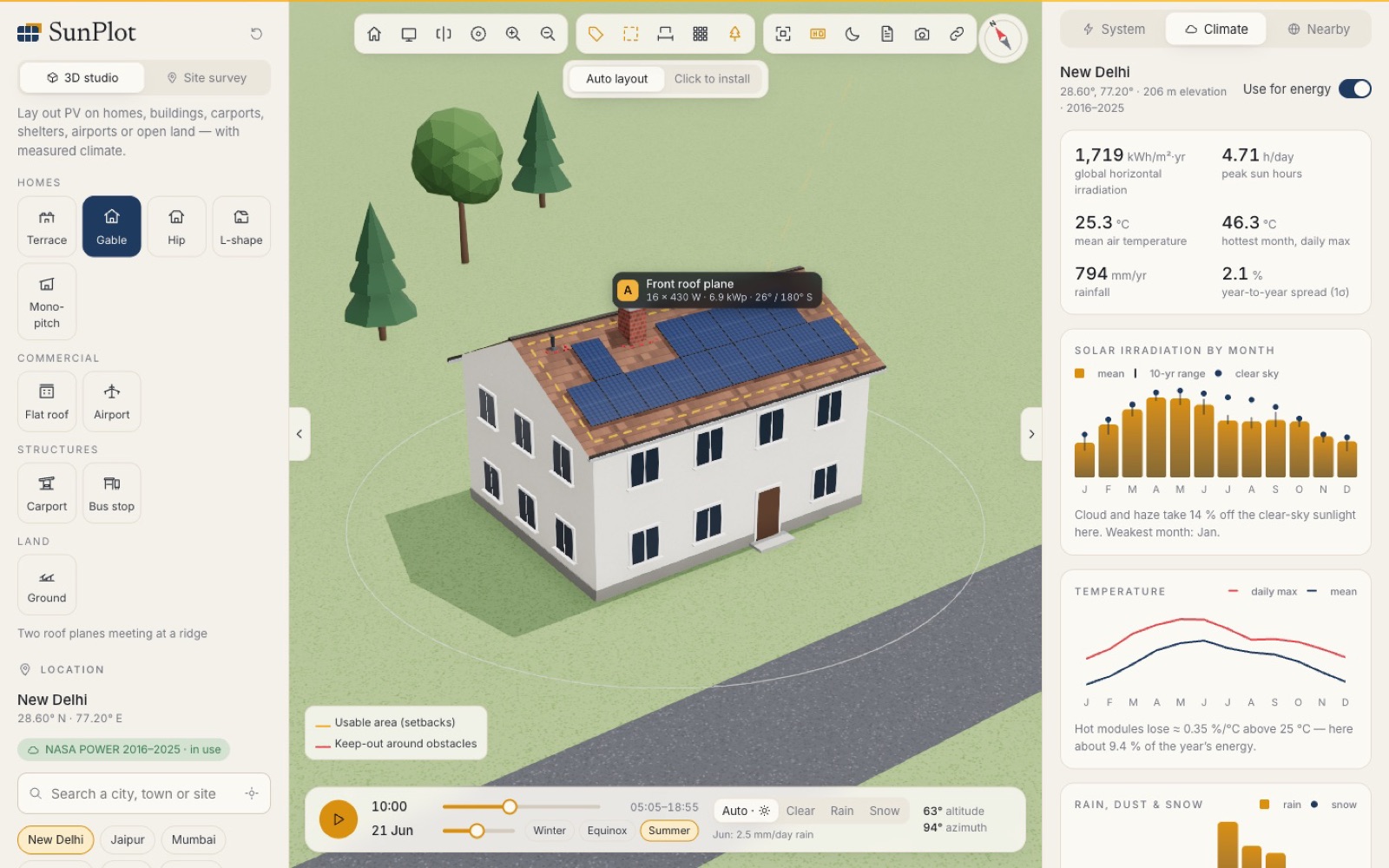
NASA POWER irradiance, temperature, rain and snow for any place on Earth, with P50 and P90 yields.
Ray-cast shading
Every module checked against trees, rows, roofs and obstacles every half hour, in a Web Worker.
Loss waterfall
Shading, soiling, snow, temperature and system losses from sunlight to AC output.
Remote site survey
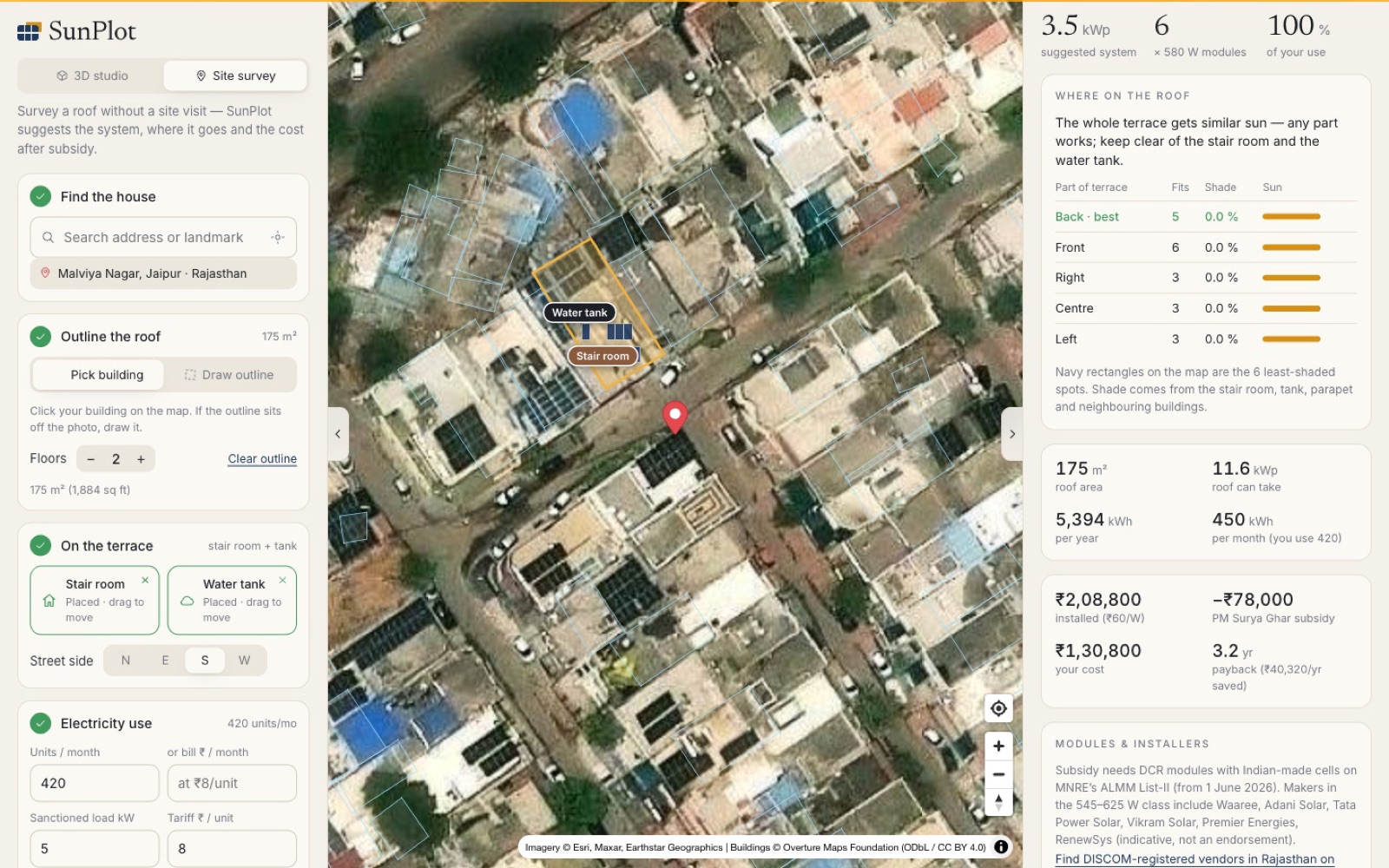
Address search, satellite building outlines, bill-based sizing and subsidy, best roof spots ranked.
One-click proposal
3D view, plan, arrays, monthly energy, losses, climate and 25-year financials in a PDF.
Real installations
Nearby solar plants from OpenStreetMap and landmark projects you can load.
04 Architecture & technologies
Architecture at a glance
05 Approach
Engineering accuracy without the install
- Heavy maths off the main thread: shading for 3,250 modules in about a second.
- Measured, not typical, weather: ten real years per site, cached after first load.
- US-ready: IFC / IRC 18″ and 36″ ridge and edge setbacks built into the auto layout.
- Tailored for the client: the delivered version fits their sales workflow and proposal format.
- Also India-ready: DCR modules, PM Surya Ghar subsidy rules and rupee payback.
- Open source: code public on GitHub, live demo anyone can try.
06 Results
Delivered to a US solar company
The custom build gives the client's team one browser tool to design systems, show shading and weather losses with real climate data, and send a branded proposal in one click, often without a site visit. The open-source core is live at sunplot-3d.imlistack.workers.dev, and the code is on GitHub.
The client is not named to respect confidentiality. We publish only verified outcomes.
Quick answers
SunPlot 3D at a glance
What is SunPlot 3D?
SunPlot 3D is an open-source solar PV design tool that runs in the browser. Installers lay out modules on houses, flat roofs, carports, bus shelters, airports or open land, see shading, rain and snow in 3D, estimate yearly energy from ten years of real climate data and send the client a proposal PDF in one click.
Who uses SunPlot 3D?
ImliStack delivered a custom version of SunPlot 3D to a solar company in the United States, built for its design and sales team to lay out systems, check shading and production, and send proposals without a site visit. The core tool is open source on GitHub with a free live demo.
Where does the energy estimate come from?
Ten years of NASA POWER climate data for the chosen location: monthly irradiance, temperature, rain, snowfall and snow depth. SunPlot ray-casts shading for every module, models soiling, snow and heat losses, and reports P50 and P90 yields with a full loss breakdown.
Can it survey a site without a visit?
Yes, for India. Search an address, pick the building outline on satellite imagery, mark the stair room and water tank, and enter the electricity bill. SunPlot sizes the system, applies the PM Surya Ghar subsidy, ranks the least-shaded parts of the roof and opens the design in 3D.
What technology is SunPlot 3D built with?
React 19, three.js, React Three Fiber, Vite and Web Workers for shading, with NASA POWER climate data, OpenStreetMap and Photon search, Overture Maps building outlines and client-side PDF generation. It is deployed on Cloudflare Workers.

Next step
Have a product to build or a system to fix?
Tell us what you are working on. You will get a considered reply from an engineer — with questions, a suggested approach or an honest “we are not the right fit”.