
Case study · Education
Body Atlas 3D: the human body in 3D, in every classroom
An interactive anatomy explorer that runs in the browser, released as open source, and delivered as custom software to a UK school, where teachers now use it in lessons.
- Our role
- Design, build, delivery
- Client
- A school in the UK
- Platform
- Web, desktop and mobile
- Scale
- 2,234 structures, 15 systems
- Licence model
- Open source on GitHub
- Status
- In daily classroom use
Inside the atlas
01 Overview
Anatomy students can turn, take apart and explore
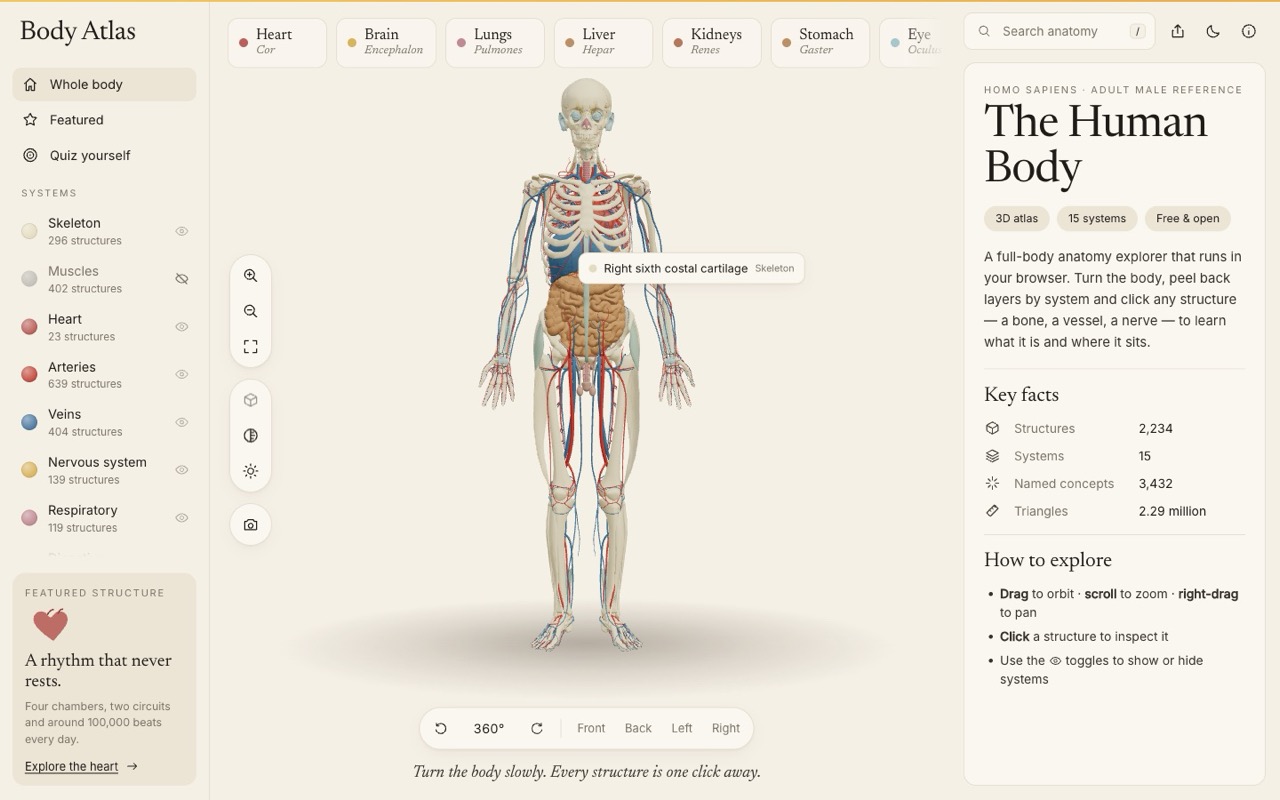
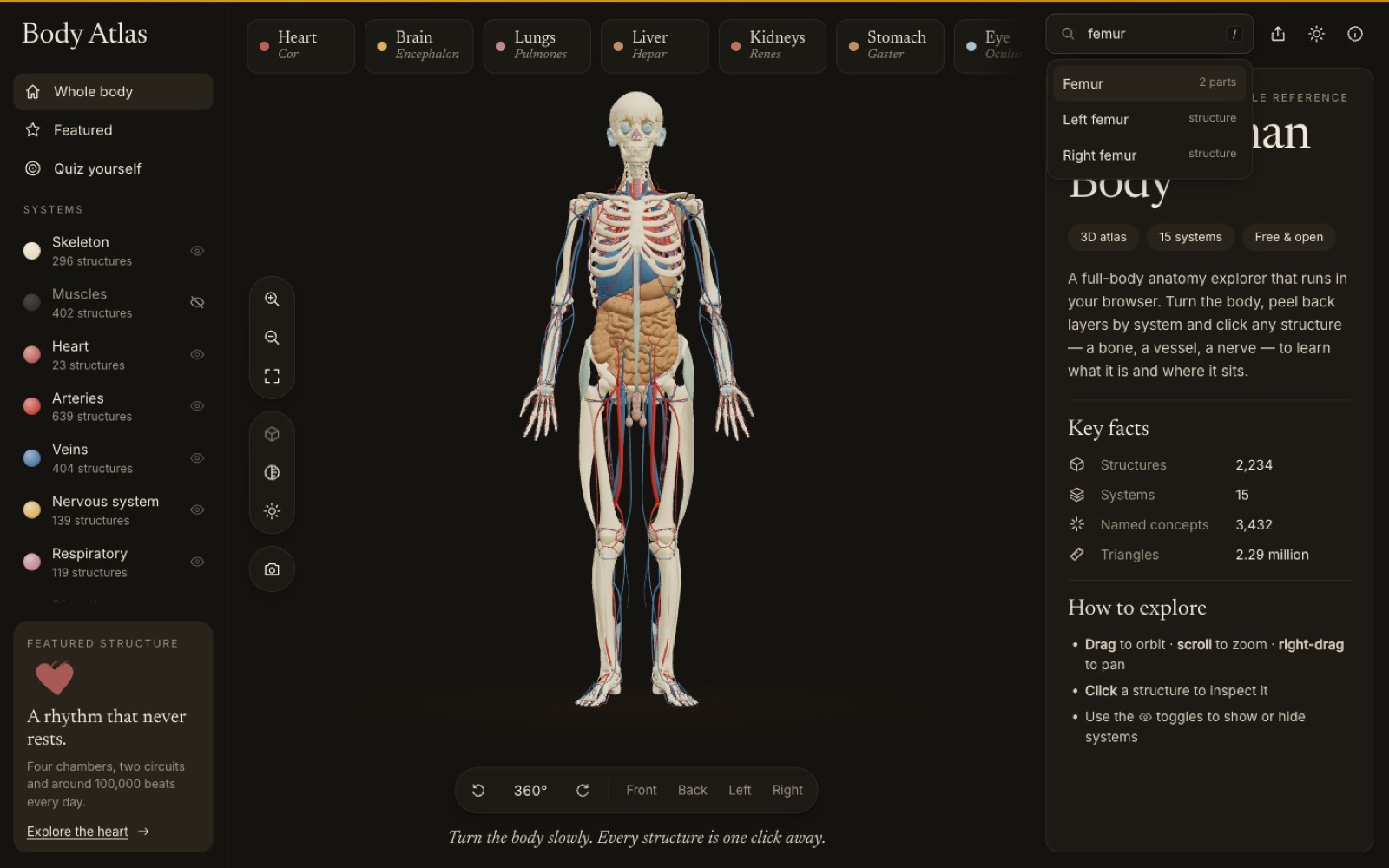
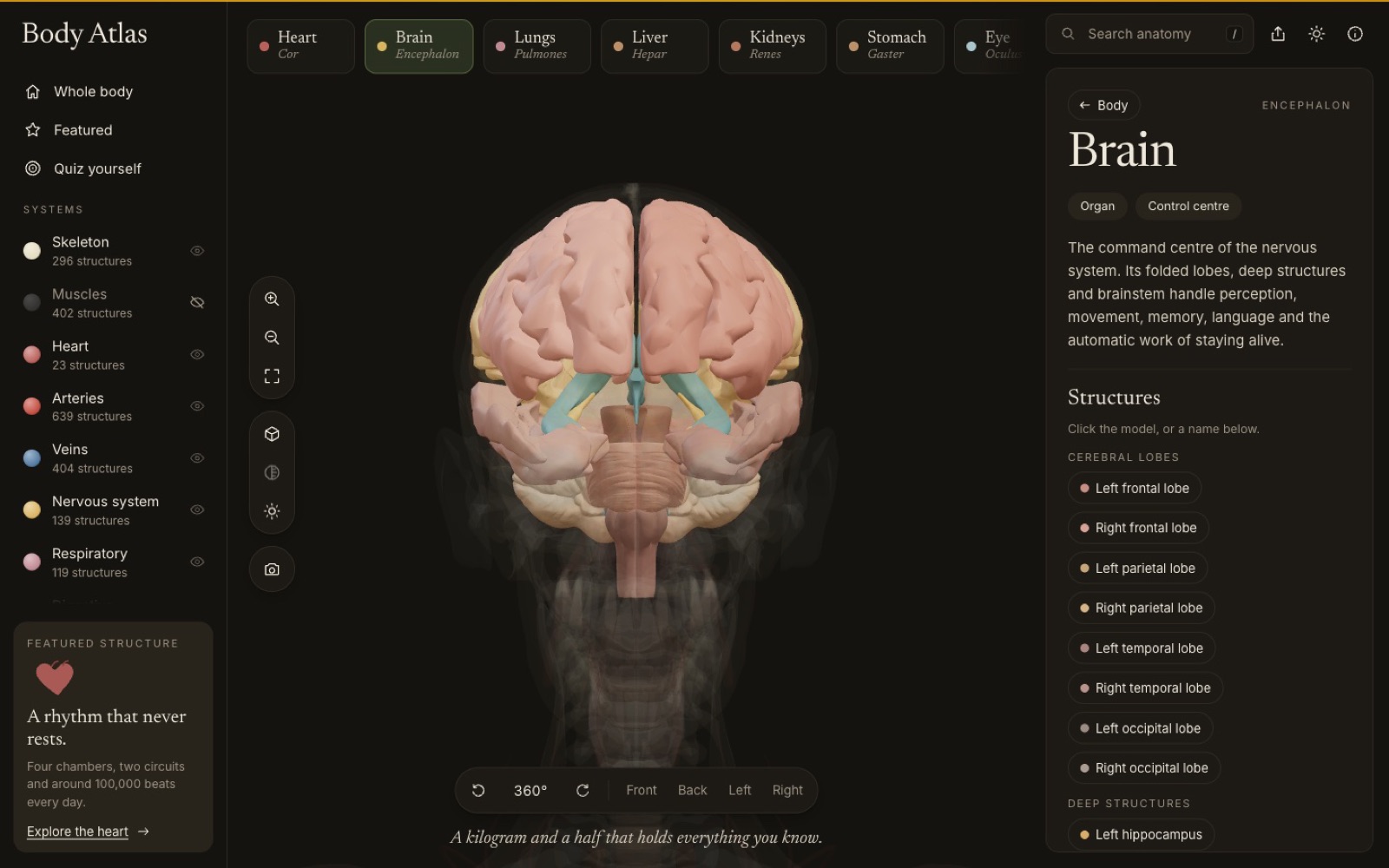
Body Atlas 3D puts a full adult human body in the browser. Learners peel it back system by system, click any structure to learn what it is, lift organs out as detailed models and test themselves, with no install or plugin.
We built it as an open-source project, then delivered a custom version to a school in the UK to show what modern web technology can do for science teaching.
02 The challenge
Textbook diagrams are flat; the body isn't
- Hard to picture in 2D: students struggle to see how organs and systems sit together.
- School hardware: it had to run on ordinary laptops, tablets and phones, not gaming PCs.
- Nothing to install: school IT can't add software to every device.
- Built for teaching: easy enough to use live in front of a class, with a way to check understanding.
- Accessible: keyboard control, reduced motion and a fallback when 3D isn't available.
03 The solution
A complete 3D anatomy atlas that runs in any modern browser
15 system layers
Show or hide skeleton, organs, muscles, nerves and more; muscles and skin start hidden so organs show.
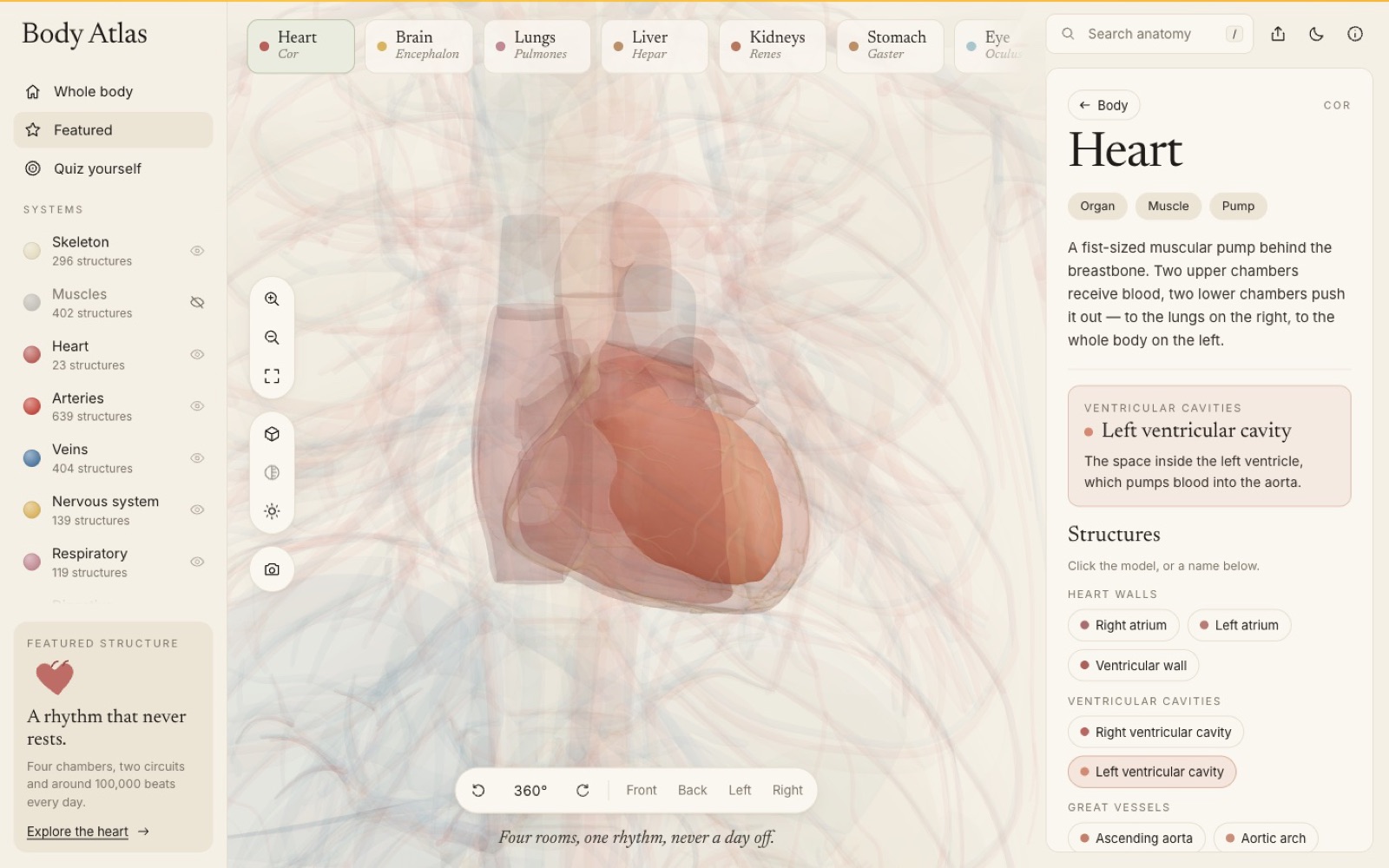
14 organ deep-dives
Heart, brain, lungs, kidneys and more lift out as labelled models; the heart beats and the lungs breathe.
Search & hover labels
3,432 searchable names and live labels for whatever is under the pointer.
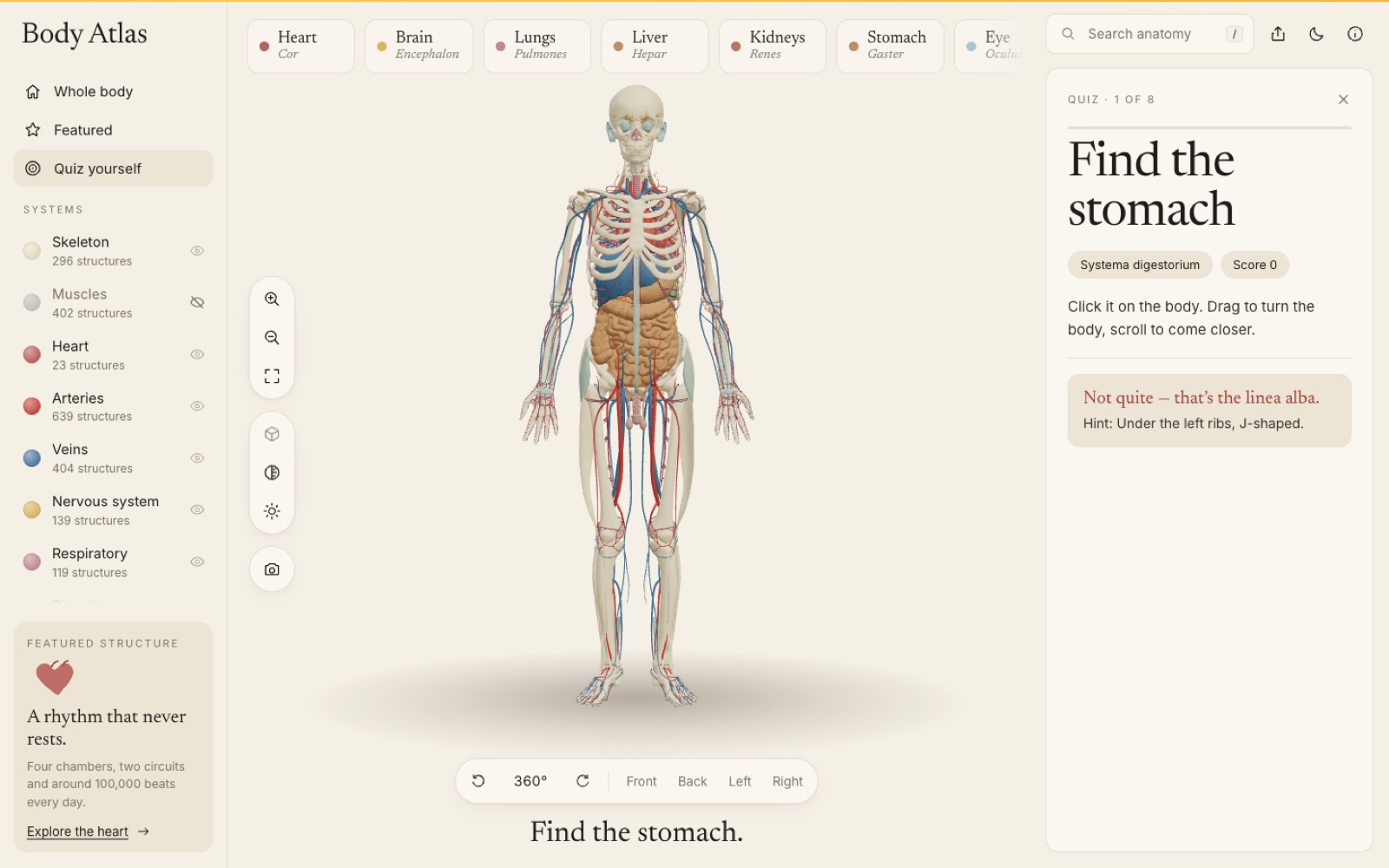
Built-in quizzes
Eight "Find the …" rounds with hints and scores; labels switch off so they can't give answers away.
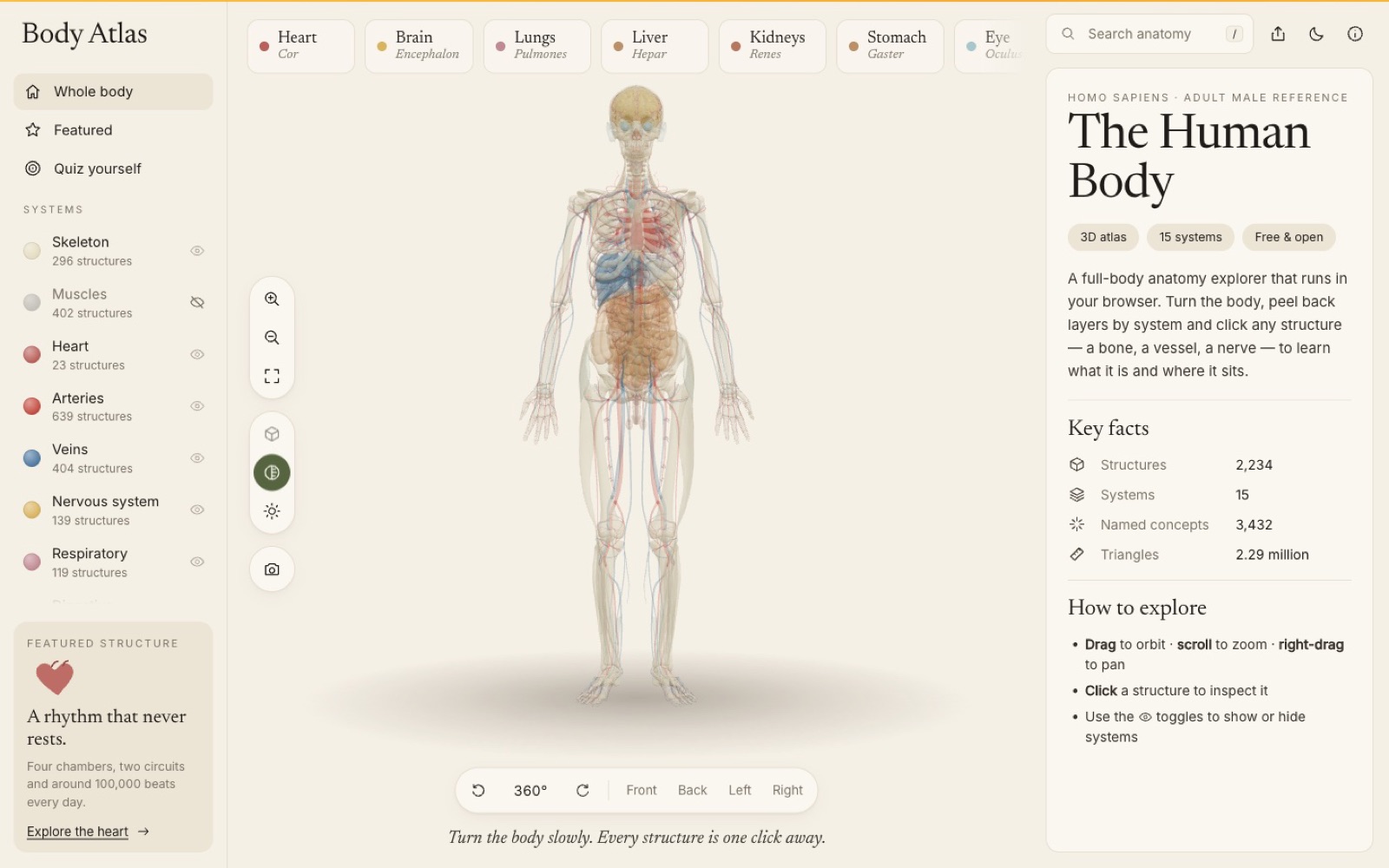
X-ray & preset views
Translucent layers, front, back and side views and a 360° turntable for demonstrations.
Shareable links
The URL always matches the screen, so a teacher can send students straight to the kidney.
Works on any device
Desktop and mobile layouts, light and dark themes, PNG export of the current view.
Accessible by default
Keyboard shortcuts for every tool, reduced-motion support and a graceful no-WebGL fallback.
04 Architecture & technologies
Architecture at a glance
05 Delivery approach
Engineered for real classrooms
- Fast on modest hardware: compressed geometry, parallel loading and one shared scene keep it smooth.
- Loads once, then instant: about 31 MB on first visit, served from the browser cache afterwards.
- Custom build for the school: tailored to how their teachers present and how their students learn.
- Open source: the core atlas is public on GitHub for other educators and developers.
06 Results
In daily use in a UK school
Teachers use Body Atlas 3D in lessons to show how the body fits together, and students explore organs and systems hands-on instead of from flat diagrams. Try the open-source edition live at body-atlas-3d.imlistack.workers.dev, or see the code on GitHub.
The school is not named to respect its privacy. We publish only verified outcomes.
Quick answers
Body Atlas 3D at a glance
What is Body Atlas 3D?
Body Atlas 3D is an open-source, interactive 3D human anatomy explorer that runs entirely in the browser. Learners can rotate a full adult body, show or hide 15 body systems, click any of 2,234 structures, open 14 organs as detailed models and test themselves with built-in quizzes.
Who uses Body Atlas 3D?
ImliStack delivered a custom version to a school in the UK. Teachers use it in lessons to show how the body fits together, and students explore organs and systems hands-on. The open-source edition is live at https://body-atlas-3d.imlistack.workers.dev and on GitHub.
What technology is Body Atlas 3D built with?
React 19, three.js, React Three Fiber and drei, Vite, zustand for state, three-mesh-bvh for fast picking and camera-controls for camera moves. Anatomy geometry comes from BodyParts3D (CC BY 4.0), packed into compressed binary chunks that load in parallel.
Does it need an install or a powerful computer?
No install or plugin is needed. It runs in a modern browser, works on school laptops and phones, and falls back gracefully when WebGL is not available.

Next step
Have a product to build or a system to fix?
Tell us what you are working on. You will get a considered reply from an engineer — with questions, a suggested approach or an honest “we are not the right fit”.